Description
WinDaq™ Direct Suite Software
WinDaq software has been a trusted choice for many years in acquiring, reviewing, and analysing waveform data from DATAQ devices. It is known for its reliability and ability to handle large files quickly. As engineering teams work more flexibly and use various devices, the need for a simple, web-based tool has grown. WinDaq Direct was designed to fill that requirement.
Unlike traditional desktop software, WinDaq Direct requires no installation, works across multiple operating systems, and keeps all data securely stored on your local computer.
Designed for engineers, researchers, manufacturers and test laboratories, WinDaq Direct combines high-speed Data Acquisition, advanced Waveform Analysis and a powerful Automated Test Sequencer that enables sophisticated automated testing without writing a single line of code. And best of all, it’s FREE!
WinDaq Direct Acquisition
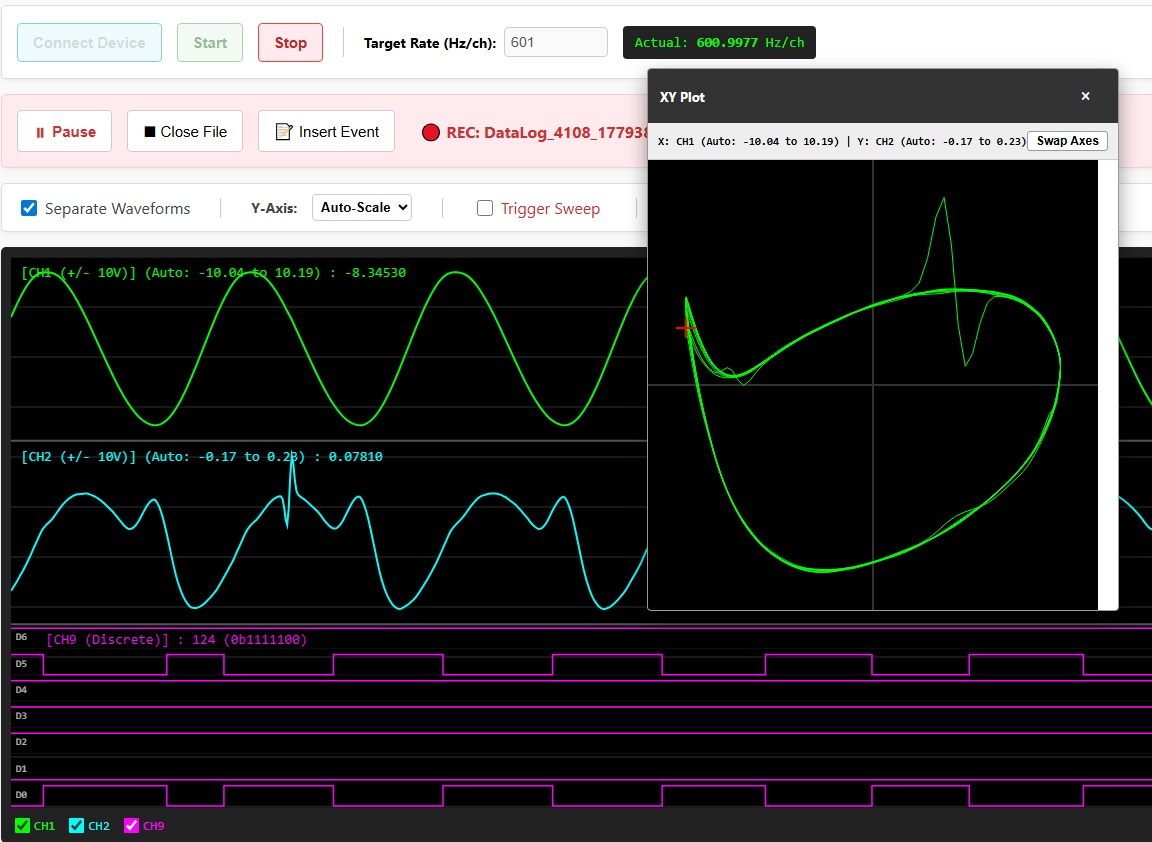
Acquire, display and record high-speed measurements directly from supported DATAQ instruments.
Product Features:
- Live multi-channel waveform display
- Up to 160 kSamples/sec throughput
- Digital Storage Oscilloscope (DSO) style triggering
- Trigger sweeps
- Event markers with comments
- Full screen charting
- Save data in native WinDaq (.WDH) or CSV format
- Calculated channels for live engineering calculations
All acquisition remains completely local with no cloud upload required.
WinDaq Direct Waveform Browser
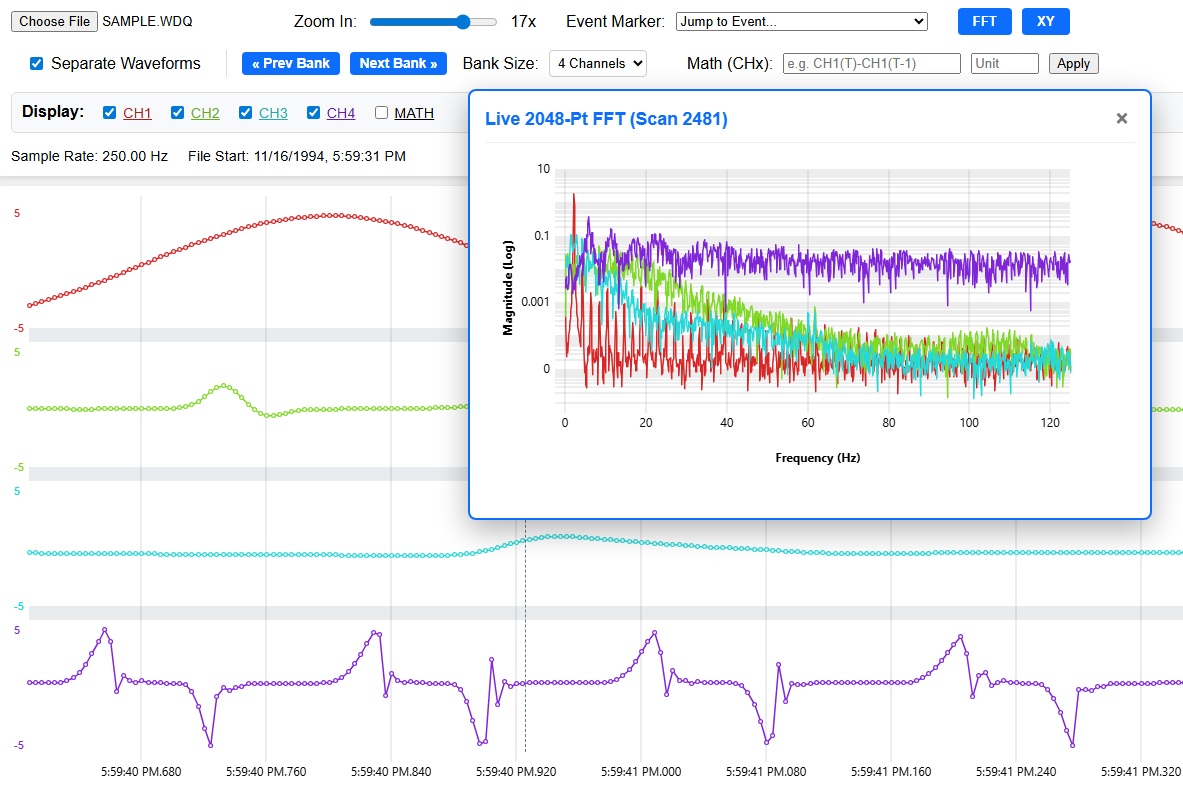
The Waveform Browser allows engineers to quickly analyse recorded test data.
Supported file formats include:
- WinDaq (.WDQ, .WDH, .WHC, .WDC)
- CSV
- TXT
Analysis tools include:
- Live FFT analysis and XY plotting
- Supports Calculated Channel, such as CH1* CH2 for power calculation
- Statistical calculations
including Minimum, Maximum, Mean, Median, Standard Deviation (σ), Variance (σ²), Sum, Sum of Squares, Root Mean Square (RMS), Skewness, Slope, Peak-to-Peak, Area, Crest Factor and Excess Kurtosis.
- High pass, low pass, band pass, band reject filter available in math channel
- Frequency and RMS available in math channel
- Automatic WinDaq header repair
- Export Excel, MATLAB or SQL files.
WinDaq Direct Automated Test Sequencer
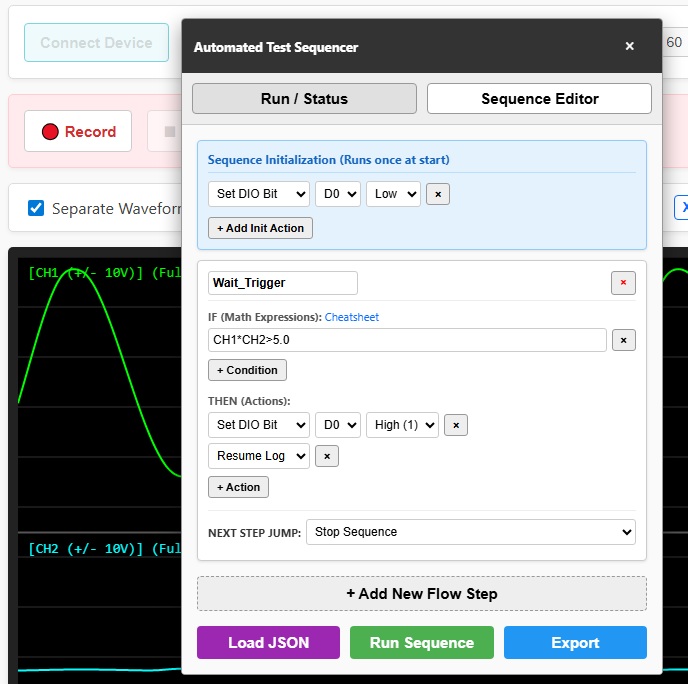
One of WinDaq Direct’s most powerful capabilities is the integrated Automated Test Sequencer.
Instead of writing software, engineers can create state-machine logic that automatically controls:
- Data logging
- Digital outputs
- Test timing
- Conditional events
- Multi-stage automated testing
Product Features
- No Installation Needed
The logic engine works completely in your web browser. You don’t need to install plugins, download software, or use cloud services.
- Easy Test Builder
Use a simple flowchart editor to create complex automated tests. You can set up states, conditions, and actions without writing any code.
- Real-Time Triggers
You can trigger actions by analysing live signals. Keep in mind that the trigger testing refreshes about 50 times per second.
- Smart Data Logging
Save space on your hard drive and speed up your analysis. You can set the sequencer to automatically pause and resume recording data only when specific events happen.
- Control Digital Outputs
You can switch individual digital output pins (D0-D6) on or off. This helps you control relays, alarms, or shutoff valves based on live sensor data.
- Easy Data Sharing
Export your entire test flow as a small JSON file. You can share test profiles with others or load them easily to keep the same testing setup on different computers.
- Step-by-Step Testing
Create detailed tests that follow a specific order. For example, you can set steps like: Wait for a certain level → Start Logging → Wait for 5 minutes → Stop Logging → Reset.
Supported DATAQ Hardware
WinDaq Direct supports many popular DATAQ instruments including:
DI-1100
DI-2160
DI-2108
DI-2108P
DI-2008
DI-4108E/M
DI-4208E/M
DI-4718B
DI-4730
(Some models may require firmware updates, please contact us for instructions.)